JSDoc.fyi
The unofficial reference for JSDoc — the documentation generator for JavaScript. Embed comments in your source code; JSDoc turns them into a complete documentation site.
One comment, complete documentation
Place a /** */ block above any function, class, or variable.
/**
 * Fetch a user by their numeric ID.
 *
 * @param  {number}        id      - The user's ID.
 * @param  {RequestInit}   [opts]  - Optional fetch options.
 * @returns {Promise<User>}          Resolves with the user object.
 * @throws  {NotFoundError}          When no user matches the ID.
 *
 * @example
 * const user = await getUser(42);
 * console.log(user.name); // "Ada Lovelace"
 */
async function getUser(id, opts) {
  const res = await fetch(`/api/users/${id}`, opts);
  if (!res.ok) throw new NotFoundError(id);
  return res.json();
}
Run npx jsdoc and get a fully navigable HTML site — no configuration required to start.
Type and watch your IDE light up
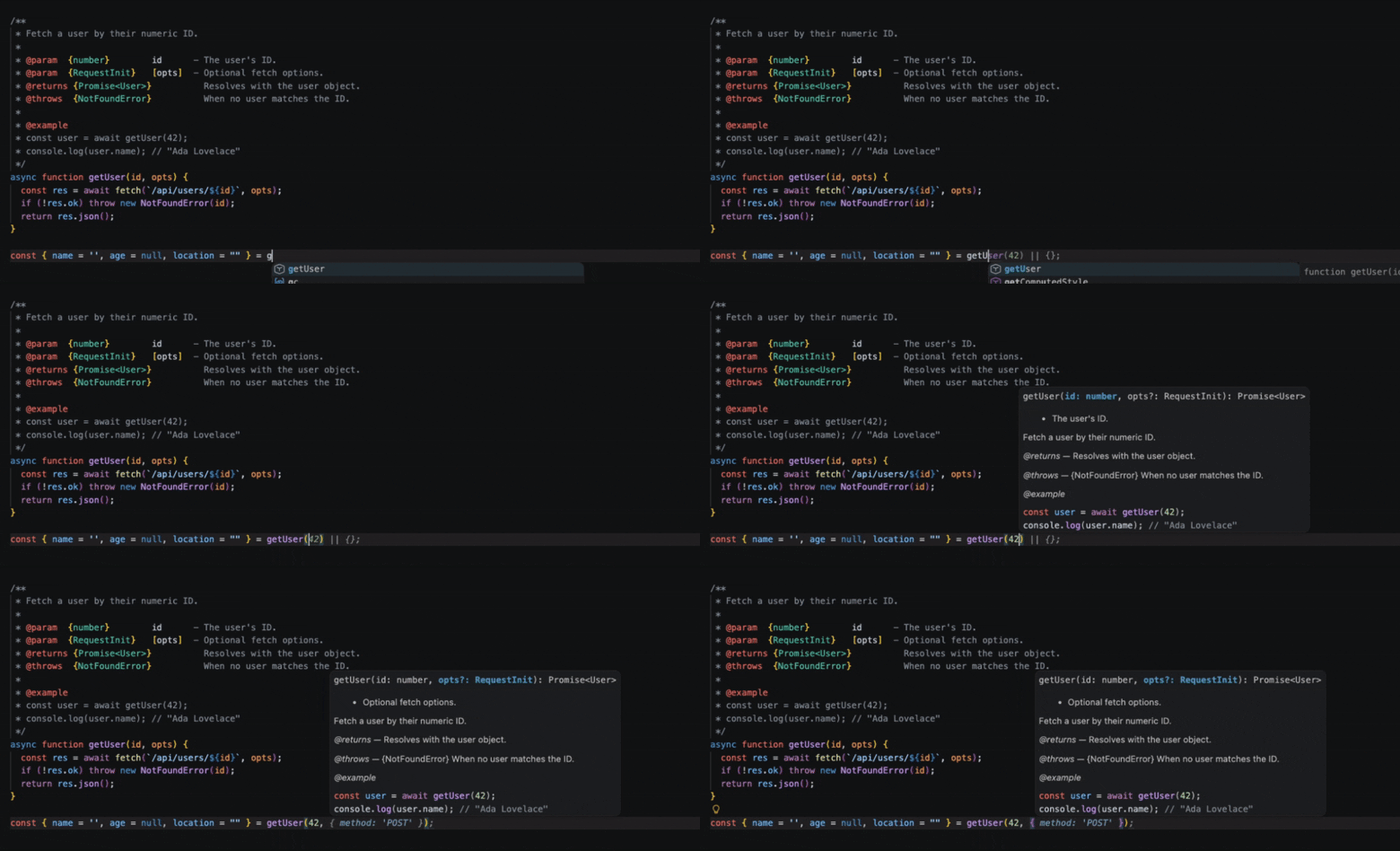
VS Code, WebStorm, Cursor, and most modern editors read JSDoc comments directly — types, parameter descriptions, and return values appear inline as you type.
Why use JSDoc?
npm package documentation
Ship docs alongside your library. JSDoc generates a self-contained HTML site that tools like JSR, npm, and GitHub Pages can host automatically.
IDE autocomplete & IntelliSense
VS Code, WebStorm, and most modern editors read JSDoc comments directly — types, parameter descriptions, and return values appear inline as you type.
TypeScript-style types in plain JS
Use @param {string} and @returns {Promise<User>} to add full type information to JavaScript without a build step. TypeScript understands JSDoc types too.
CI documentation pipelines
Add `npx jsdoc -c jsdoc.json` to your CI workflow and publish fresh docs on every merge — no manual effort, always in sync with the source.